
Plow Pilot: tracking snowplow blade use
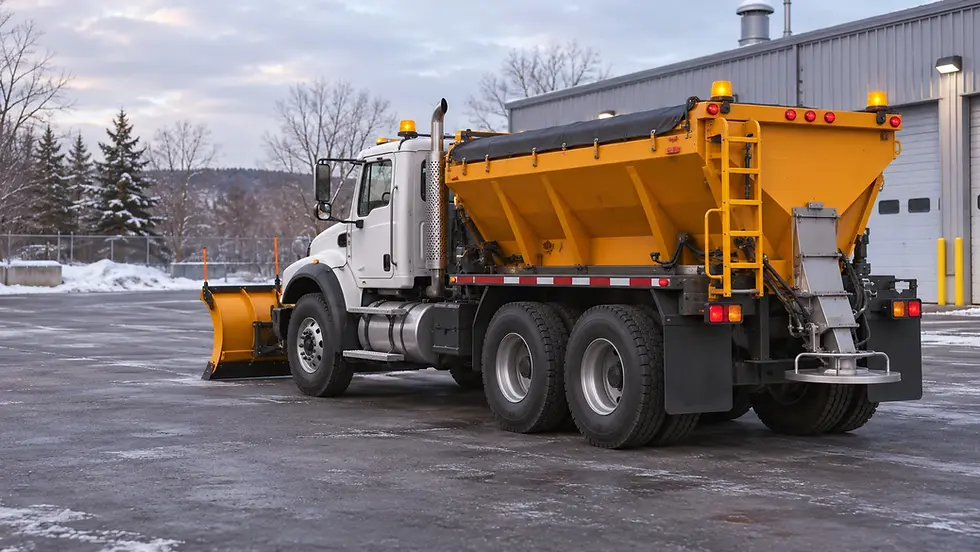
A truck’s route tells only part of the story during a snow removal operation. The truck travelled down a street, but was the front blade lowered? Was the wing in use?
For municipalities, public works departments and snow removal contractors, those details add context to GPS tracking. Plow Pilot from DiCAN sends blade status to the vehicle’s telematics system, using the signals that control blade movement.
What the blades are doing along the route
Plow Pilot is an in-cab module. It receives signals from the operator’s controls, determines a raised or lowered state and sends that information to the vehicle’s telematics unit. For details, see the Plow Pilot documentation available from SSB.
When the integration supports it, the platform can associate blade status with the GPS route. That gives the fleet manager another piece of information when reviewing a callout or documenting equipment use.
The reported blade status comes from the vehicle’s control signals. It does not directly measure blade contact with the pavement or the quality of the plowing.
Match the module to the truck’s controls
Start by identifying the system that controls the blades. DiCAN offers two main product families.
 Plow Pilot e-IONsFor pneumatic controls that operate the hydraulic system. Photo: DiCAN |  Plow Pilot PWMFor certain electronic controls, with kits matched to the system in use. Photo: DiCAN |
According to the manufacturer’s brochure, these versions can track up to two blades per module, for example the front plow and the wing. Select the model and connections to suit the equipment on the truck. View the Plow Pilot brochure and documentation at SSB.
This matters in a mixed fleet. Two trucks assigned to the same work can need different configurations.
Add blade status to your telematics
Plow Pilot supplies the fleet tracking system with blade status. How that information appears and how you can use it depend on the telematics unit, the connections and the platform configuration.
At Électronique SSB, a Geotab integration is available for the pneumatic version, depending on the installation. For other configurations, compatibility must be assessed against the equipment already on board. View Plow Pilot product details.
Linking blade status to the truck’s movements makes it easier to interpret winter operations along a route.
Why install the module inside the cab?

DiCAN favours in-cab installation to limit the module’s exposure to the snow, dirt and impacts that can affect components mounted outside. The manufacturer presents this approach as an alternative to hydraulic pressure switches and proximity sensors. Learn more about Plow Pilot and see the documentation at SSB.
The mounting location and connections depend on the vehicle and its layout.
Électronique SSB helps select the product. InstallaFex plans and carries out the installation on the vehicle. The customer, drivers, maintenance staff, equipment supplier and telematics partner each help verify the aspects they know best. Agreeing on the signals and expected data helps the team plan tests and build reports that users can put to work.
Frequently asked questions about Plow Pilot
What does “blade down” mean in the report?
Plow Pilot determines this state from the blade control signal. Paired with the GPS route, it shows where the control was used. Confirming actual blade contact with the pavement or the quality of the plowing requires a separate observation.
Can we track the front plow and the wing separately?
According to DiCAN, one module can track up to two blades. To distinguish the front plow from the wing in your reports, identify their controls on the truck and check how each state appears in your telematics platform.
What information helps us choose between e-IONs and PWM?
Record the make and model of the controls, the blades you want to track and the telematics unit’s part number. The e-IONs family is designed for pneumatic controls that operate the hydraulics. The PWM version works with certain electronic controls, depending on the installed system.
Plan your blade tracking project
To assess a configuration, gather the following details:
Vehicles to be equipped
Type and make of the blade control system
Blades to be tracked, including the front plow and wing
Telematics system already installed
Information you want to see when reviewing operations
With these details, we can review the vehicle, its controls and the integration you have in mind.


Comments